
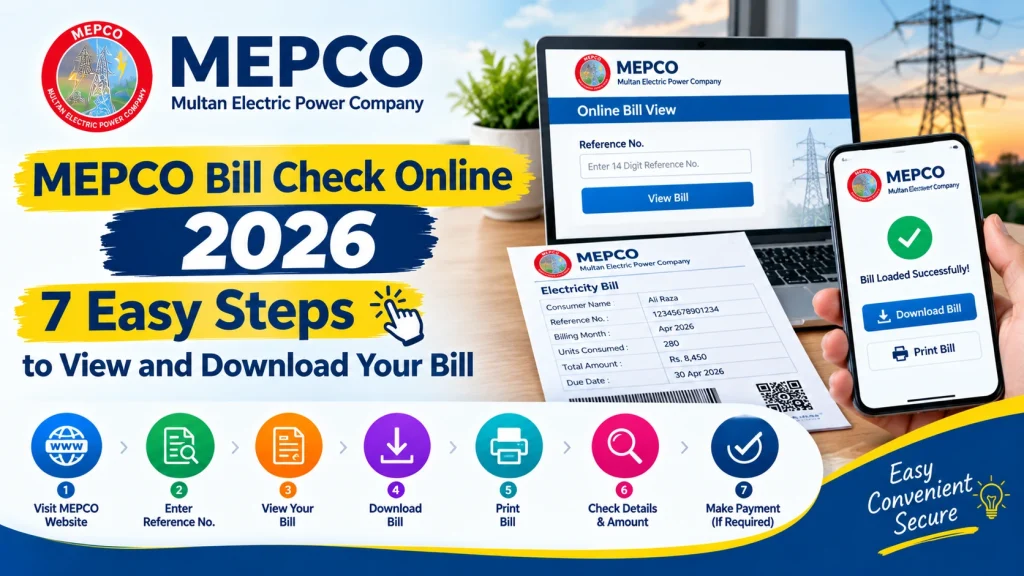
MEPCO Bill Check Online 2026 – 7 Easy Steps to View and Download Your Bill
Checking your electricity bill online can save time and help you avoid missing the payment deadline. With MEPCO Bill Check Online, consumers can view their Multan Electric Power Company electricity bills, check the payable amount, and download a duplicate copy when the original bill has not arrived.
MEPCO supplies electricity to many areas of southern Punjab, including Multan, Bahawalpur, Dera Ghazi Khan, Rahim Yar Khan, and nearby districts. If you are a MEPCO customer, you can use the official online bill portal to check your latest available bill without visiting a customer service office.
This guide explains how to check your MEPCO electricity bill in seven easy steps, find your reference number, download a duplicate bill, and solve common problems.
What Is MEPCO Bill Check Online?
MEPCO Bill Check Online is a convenient way for electricity consumers to access their billing information through the internet. Instead of waiting for a printed bill, you can visit the official bill portal and enter the required reference number to view your available bill.
The online bill usually displays important details such as the consumer’s name, billing month, electricity units consumed, total charges, due date, and payable amount. The exact information depends on the bill record available in the system.
Official MEPCO Bill Portal: https://bill.pitc.com.pk/mepcobill
Use this official portal to check your latest available electricity bill and access its printable version.
How to Check MEPCO Bill Online in 7 Easy Steps
Follow these seven steps to view your electricity bill online.
Step 1: Open the Official MEPCO Bill Website
Open a browser on your mobile phone, tablet, or computer. Visit the official MEPCO bill portal at https://bill.pitc.com.pk/mepcobill.
Make sure you use the correct website before entering your billing information. The portal allows eligible consumers to retrieve available billing records online.
Step 2: Find Your MEPCO Reference Number
Locate the reference number printed on a previous MEPCO electricity bill. It is generally a 14-digit number used to identify your electricity connection for bill inquiries.
Check the reference number carefully before entering it. Do not confuse it with your meter number or other customer information.
If you do not have a previous bill, ask the registered account holder for a copy or contact the relevant MEPCO customer service office for assistance.
Step 3: Enter the Reference Number
On the official portal, enter your reference number in the appropriate field. Follow the instructions displayed on the page.
Check every digit before continuing. Even one incorrect digit may prevent the website from retrieving the correct bill.
Step 4: Submit Your Information
Click the relevant button to view or retrieve your bill. The portal will attempt to find the billing record associated with the reference number you entered.
If the bill does not appear, verify the number and try again. You can also try later if the website is temporarily unavailable.
Step 5: Review Your Electricity Bill
Once your bill appears, review the important details before making a payment.
Check the following information:
- Consumer name and reference number
- Billing month and issue date
- Units consumed and meter readings
- Electricity charges, taxes, and other applicable fees
- Total payable amount
- Due date and any applicable late-payment charges
Reviewing these details can help you identify a possible billing error or understand why your monthly electricity expense has changed.
Step 6: Download Your MEPCO Duplicate Bill
If you need a copy for your records, use the available print or download option on the bill page. Depending on the portal and your browser, you may be able to save the bill as a PDF.
Choose a suitable folder on your device and use a clear filename so you can find the document later.
A duplicate bill is useful if your printed electricity bill has been lost, damaged, or delayed.
Step 7: Print Your Bill or Keep a Digital Copy
After downloading the bill, open the saved document and check that the details are readable. You can print it using a connected printer or keep the PDF on your mobile phone or computer.
Before paying, confirm the amount and due date. Use a payment method supported by your bank or authorized payment provider, and keep the transaction receipt for future reference.
How to Find Your MEPCO Reference Number
Your MEPCO reference number is usually printed near the top section of a previous electricity bill. It commonly consists of 14 digits.
To find it:
- Take out a previous MEPCO electricity bill.
- Look for the field marked “Reference No.” or similar wording.
- Copy all digits in the correct order.
- Enter the number on the official bill portal.
Always verify the complete number before submitting it. If you have recently moved into a property, ask the account holder or contact MEPCO for help identifying the correct connection.
What Details Can You Check on a MEPCO Bill?
Your online bill provides useful information for understanding your monthly electricity charges. Depending on the bill format, you may find:
- Billing period: The month or period covered by the bill.
- Meter readings: Previous and current readings used to calculate consumption.
- Units consumed: Electricity used during the billing period.
- Total charges: Electricity costs, applicable taxes, and other charges.
- Due date: The deadline for paying the bill without the standard late-payment consequences.
- Payable amount: The amount currently shown as due.
Review these details every month. If you notice an incorrect meter reading, unexpected charges, or another discrepancy, contact MEPCO through its official complaint channels.
Why Is My MEPCO Bill Not Showing Online?
Sometimes a bill may not appear immediately. The following checks can help you identify the problem.
Incorrect Reference Number
A missing or incorrect digit can stop the portal from finding your bill. Recheck the number against an earlier bill and submit it again.
New Bill Not Yet Available
A newly generated bill may not be visible immediately. Try again later if the billing cycle has recently changed.
Website or Internet Problem
Slow internet, browser errors, or temporary portal maintenance may prevent the bill from loading. Refresh the page, check your connection, or try another browser.
Incorrect Billing Information
If the reference number is correct but the bill remains unavailable, contact MEPCO customer support for guidance. Do not assume that an unavailable online bill means you have no payment obligation.
How to Pay Your MEPCO Electricity Bill
After checking your MEPCO bill online, review the payment options available to you. Depending on the service provider and your account, these may include mobile banking applications, internet banking, ATMs, authorized payment agents, or other supported digital payment channels.
Before confirming a payment, verify the bill details and amount. Save your receipt or transaction ID until the payment is reflected in the relevant records.
If you have already paid but the status has not updated, allow time for processing and check your transaction receipt. Contact your bank or payment provider if needed, and reach out to MEPCO if the issue continues.
Frequently Asked Questions
1. How can I check my MEPCO bill online in 2026?
Visit https://bill.pitc.com.pk/mepcobill, enter your 14-digit reference number, and follow the portal instructions to view your available electricity bill.
2. Can I check my MEPCO bill without a reference number?
The standard online bill portal generally requires a reference number. Check a previous bill or contact MEPCO customer support if you cannot find yours.
3. Can I download a MEPCO duplicate bill?
Yes. If your bill is available on the official portal, use the print or download option to save a copy, usually through your browser’s print-to-PDF feature.
4. Is checking a MEPCO bill online free?
Viewing a bill through the official bill portal is generally free. Separate charges may apply to certain payment services, depending on the provider.
5. What should I do if my MEPCO bill amount seems incorrect?
Compare the meter readings, units consumed, billing period, and charges with your records. If the discrepancy remains, register a complaint through MEPCO’s official customer service channels.
6. Can I check my MEPCO bill on a mobile phone?
Yes. You can open the official portal in a mobile browser, enter your reference number, and view the available bill. Download or print options depend on your device and browser.
Conclusion
MEPCO Bill Check Online makes it easier for electricity consumers to view their available bills, review charges, and obtain a duplicate copy without waiting for a printed document. By following these seven steps, you can enter your reference number, check your billing details, download your bill, and keep a copy for your records.
Always use the official MEPCO bill portal, verify your reference number, and review the due date before making a payment. If your bill is missing or its details appear incorrect, contact MEPCO through its official channels for further assistance.